
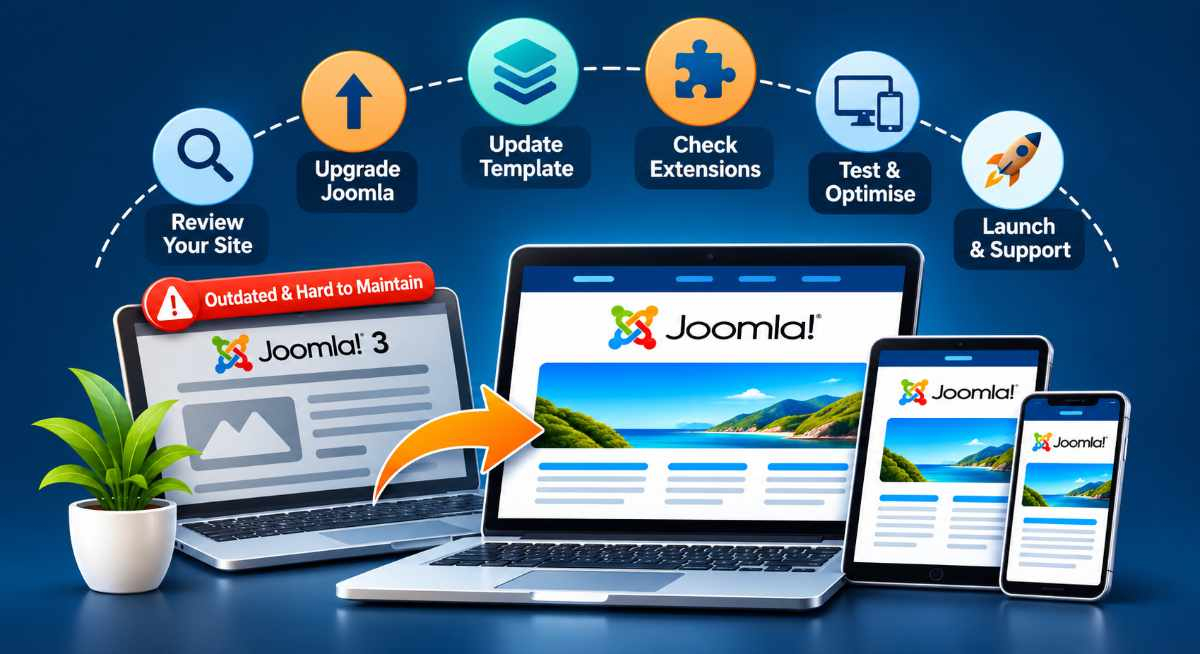
If your business website is still running Joomla 3, you may already know that it needs attention. Perhaps you have received warnings about outdated software, discovered that your template is no longer supported, or been told that upgrading will require a completely new website.
The good news is that an outdated Joomla website does not automatically mean you need to start again.
Depending on how your website was built, you may be able to upgrade the existing installation, replace the template while keeping your content, or take the opportunity to redesign the website.
The important thing is understanding what you have before deciding what needs to change.
Why Joomla 3 Websites Need Attention
Joomla 3 reached its official end of support in August 2023.
That means it no longer receives regular security updates from the Joomla project. Although some websites may have received extended support through third-party arrangements, Joomla 3 is no longer a suitable long-term platform for a business website.
An older Joomla installation can create several problems:
-
Security risks: Unsupported software and extensions may contain vulnerabilities that are no longer being addressed.
-
Hosting compatibility: Older Joomla installations may depend on PHP versions that are also outdated or unsupported.
-
Extension compatibility: Components, modules and plugins that worked with Joomla 3 may not work with newer Joomla versions.
-
Template limitations: The original template may no longer be maintained or compatible with current Joomla releases.
-
Ongoing maintenance: Routine updates and changes can become increasingly difficult.
Your website may still look perfectly acceptable to visitors, but that does not mean the technology behind it is up to date.
The Biggest Problem Is Often the Template, Not Joomla
One of the most common challenges we encounter with older Joomla websites is the template.
Many Joomla 3 websites were built using commercial templates, template frameworks or visual page builders that were popular when the website was first developed.
Some of these products have continued to evolve and support newer Joomla versions. Others have been discontinued, abandoned or replaced by completely different systems.
This creates a problem when the business wants to upgrade.
Even if Joomla itself can be migrated, the existing template may not be compatible with the newer version.
The same applies to extensions. A website might depend on an old gallery, form builder, slider or other component that has not been updated for years.
Simply updating Joomla does not automatically make an outdated template or extension compatible.
This is why we assess the complete website before recommending an upgrade.
Option 1: Upgrade Your Existing Joomla Website
If your website uses a maintained template and compatible extensions, upgrading the existing website may be the most practical solution.
This approach focuses on updating the technology while retaining as much of the existing website as possible.
Depending on the installation, the work may involve:
-
Reviewing the current Joomla and PHP versions.
-
Checking template and extension compatibility.
-
Updating or replacing incompatible extensions.
-
Migrating the Joomla installation through the appropriate supported upgrade path.
-
Testing existing functionality.
-
Checking security, performance and mobile usability.
This option is particularly suitable when the existing website design is still effective and the underlying components can be maintained.
However, older Joomla websites may require intermediate migration steps or replacement components. It is not always a straightforward one-click update.
Option 2: Upgrade Joomla and Replace the Template
For many older business websites, this is worth considering.
The existing content may still be valuable. Your service pages, photographs, articles and other information may be perfectly suitable for the business.
The problem is the ageing template and the technology it depends on.
Rather than rebuilding everything from scratch, we can assess whether the content and important functionality can be retained while developing a new template using a modern Joomla installation.
This can provide an opportunity to:
-
Keep useful existing content.
-
Improve the mobile experience.
-
Simplify navigation.
-
Remove outdated page builders and unnecessary extensions.
-
Make the website easier to update.
-
Improve performance and maintainability.
-
Retain existing URLs wherever practical.
A new template does not necessarily mean completely new content or an entirely different website.
In some cases, it is the most sensible way to preserve what is working while replacing what is holding the website back.
Option 3: Redesign the Website While Upgrading Joomla
Sometimes an upgrade reveals a bigger opportunity.
Perhaps the website was built many years ago, and the business has changed considerably since then.
You may offer different services, work with different customers or want your website to generate more enquiries.
In that situation, simply replacing the old technology may not deliver the best long-term result.
A Joomla redesign allows us to review the website from a business perspective as well as a technical one.
We can consider whether the website:
-
Attracts the right visitors.
-
Clearly explains your products and services.
-
Makes it easy for customers to contact you.
-
Builds confidence in your business.
-
Works effectively on mobile devices.
-
Supports your current business goals.
The aim is not to redesign for the sake of changing the appearance.
It is to create a website that is easier to manage and better suited to the business you operate today.
What Happens to Your Existing Content and Google Rankings?
This is understandably one of the biggest concerns for business owners considering an upgrade.
You may have spent years developing your website content and building visibility in Google.
The last thing you want is to lose that work during a migration.
A properly planned Joomla upgrade should consider your existing content, URLs, metadata and internal links before changes are made.
Where possible, we aim to preserve existing URLs and valuable content.
If a URL needs to change, appropriate redirects should be planned and tested.
We also review important SEO elements, including page titles, descriptions, headings and indexing settings.
No website migration can guarantee that Google rankings will remain unchanged. However, careful planning can help reduce unnecessary disruption and protect the value of your existing website.
Can the Upgrade Be Completed Without Taking Your Website Offline?
In many cases, yes.
Our preferred approach for substantial upgrades and redesigns is to work on a separate development copy of the website.
This allows us to investigate compatibility problems, build the updated website and test its functionality while the existing website continues operating.
Before launch, we can check important elements such as:
-
Navigation and internal links.
-
Contact forms and enquiries.
-
Mobile layouts.
-
Images and downloadable files.
-
SEO settings and redirects.
-
Extensions and custom functionality.
-
Security and backups.
When the updated website is ready, we plan the launch and any necessary maintenance window.
The exact process depends on the complexity of the website, particularly if it includes ecommerce, memberships or other features that change frequently.
Do You Have to Move from Joomla to WordPress?
No.
Joomla remains an actively developed content management system, and there is no automatic reason to move to WordPress simply because your existing Joomla installation is outdated.
Both platforms have their strengths.
At The ICT Shak, we work with Joomla and WordPress, so our recommendation is based on the website, its requirements and the business rather than a preference to move everyone to one platform.
If Joomla is still suitable for your business, upgrading or redesigning within Joomla may be the best option.
If there are practical reasons to consider another platform, we can discuss those too.
How Do You Know Which Joomla Upgrade Option Is Right?
Before deciding, we recommend reviewing five things:
-
Your current Joomla version: How old is the installation, and what migration path is available?
-
Your template: Is it still supported and compatible with newer Joomla versions?
-
Your extensions: Which components are essential, and can they be updated or replaced?
-
Your content and SEO: What needs to be retained, improved or redirected?
-
Your business needs: Is the existing design still doing what you need it to do?
These answers help determine whether a straightforward upgrade, a new template or a more comprehensive redesign is the most practical approach.
Your Old Joomla Website May Still Have a Strong Foundation
An older Joomla website is not necessarily a bad website.
It may contain years of useful content, established search visibility and functionality that continues to serve your customers.
The challenge is separating what is worth keeping from the technology that needs replacing.
At The ICT Shak, we have been building and supporting business websites since 2009, including Joomla development, upgrades, ecommerce websites and redesigns.
We understand that every website has its own history, and there is rarely one solution that suits everyone.
If your Joomla website is running an outdated version or you have been told it cannot be upgraded, we can help you understand your options.
Explore our Joomla Website Upgrades & Redesigns service to see how we approach older Joomla websites, view examples of our work and arrange a free 30-minute consultation.