
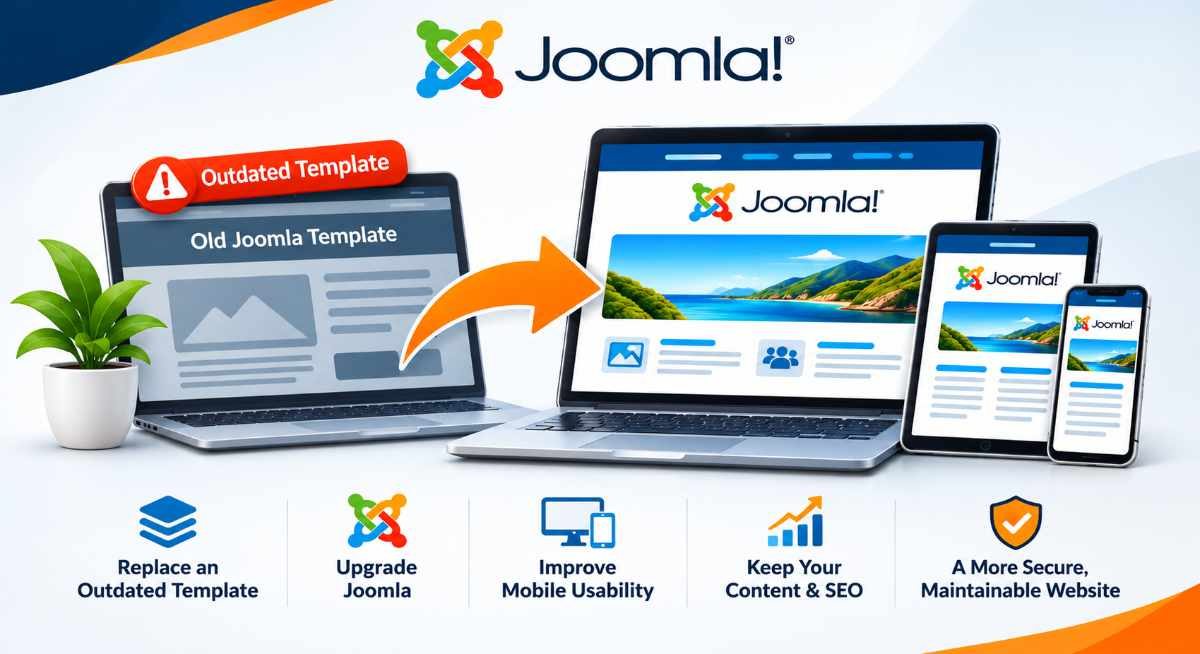
Your Joomla website may have been working perfectly well for years. It looks familiar, your customers can find the information they need, and you have probably made changes to the content along the way.
Then you discover that your website is running an outdated version of Joomla and needs upgrading.
What should be a relatively straightforward software update suddenly becomes much more complicated.
Your developer may tell you that the template is no longer supported, certain extensions will not work with the newer version, or the website needs to be rebuilt.
The problem is often not Joomla itself. It is the older technology used to build the website.
For many businesses still running Joomla 3, an outdated template or page builder is one of the biggest obstacles to upgrading.
The good news is that you may not need to lose your existing content or start completely from scratch.
Why Older Joomla Templates Can Become a Problem
When a Joomla website is first developed, the template controls much of its appearance and layout.
Depending on how the website was built, the template may also provide additional features such as menus, page layouts, sliders, responsive design settings and custom styling.
Many Joomla 3 websites were developed using commercial templates or template frameworks that were popular at the time.
Some of these products have continued to evolve alongside Joomla.
Others have not.
The original developer may have stopped maintaining the template, the software company may no longer exist, or the template may depend on older PHP code that is incompatible with current hosting environments.
This can leave a business with a website that still looks acceptable but is increasingly difficult to maintain.
The problem becomes particularly noticeable when it is time to upgrade Joomla.
Updating Joomla Does Not Automatically Update Your Template
Joomla is a content management system. Your template and extensions are separate pieces of software that work alongside it.
Upgrading Joomla does not automatically make these additional components compatible with the newer version.
For example, a template developed specifically for Joomla 3 may use older code, layouts or framework features that are no longer supported.
Attempting to use it with a newer Joomla version could result in:
- Broken page layouts or missing content areas.
- Navigation menus that no longer work correctly.
- PHP errors or compatibility warnings.
- Problems displaying modules.
- Mobile layouts that behave unexpectedly.
- Missing features previously supplied by the template framework.
In some cases, the template can be updated or modified.
In others, replacing it is the more practical and reliable solution.
This is why we review the template and its dependencies before planning a Joomla migration.
What About Older Joomla Page Builders?
Templates are not the only potential obstacle.
Some Joomla websites were built using visual page builders or template frameworks that provide their own editing systems.
These tools may have been convenient when the website was originally developed, but they can create additional challenges if they are no longer maintained.
A page builder may store content in a format that depends on its own extensions, shortcodes or custom layouts.
If that software cannot be used with a newer Joomla version, the content may need to be converted or rebuilt using standard Joomla articles and supported components.
This does not necessarily mean the wording, photographs and other valuable content must be discarded.
It means we need to understand how the content was created and stored before deciding how to move it.
One of our priorities is reducing unnecessary dependence on outdated or unsupported extensions wherever practical.
A website should be manageable and maintainable long after its initial development.
Do You Need a Completely New Joomla Website?
Not necessarily.
There are several possible approaches, depending on the condition of the existing website.
1. Keep the Existing Template and Upgrade Joomla
If your template is actively maintained and compatible with the target Joomla version, it may be possible to retain the existing design. We would still need to review the installed extensions, PHP requirements and other technical dependencies. This is often the simplest option when the website is otherwise working well.
2. Replace the Template and Keep Your Content
This is an option worth considering for many older Joomla websites. Your existing website may contain years of useful service information, articles, images and other content. Rather than replacing everything, we can assess what can be retained while creating a modern template that works with a supported Joomla version.
This approach may allow us to:
- Preserve useful website content.
- Maintain existing URLs where practical.
- Improve mobile usability.
- Simplify the navigation.
- Remove unnecessary extensions.
- Make future content updates easier.
- Improve the overall website design.
The result is a more maintainable website without unnecessarily discarding the work already invested in it.
3. Redesign the Website While Upgrading
Sometimes replacing the template is an opportunity to make broader improvements. A business website built ten years ago may no longer reflect the services, customers or goals of the business today. Perhaps your navigation has become complicated, important information is difficult to find, or the website does not generate as many enquiries as you would like. In these situations, a redesign can address both the technical problems and the customer experience.
The goal is not simply to make the website look newer. It is to make the website easier for customers to use and more effective for your business.
A Joomla Redesign Does Not Have to Mean Losing Everything
One concern we frequently hear from business owners is that replacing the template means losing their existing website.
That is not necessarily the case.
Joomla separates much of its content from the template, which can make it possible to retain articles, categories, images and other information during a migration. However, the amount that can be preserved depends on how the original website was developed. Content created through standard Joomla articles may be easier to transfer than content stored inside a discontinued page builder or specialised extension. Custom functionality may also need to be updated, replaced or redeveloped.
This is why an assessment is important.
Before recommending a redesign, we want to understand what is working, what is worth keeping and what needs to change.
What Happens to Your Google Rankings When You Replace a Joomla Template?
Replacing a template should not automatically require changing your existing website URLs.
In many cases, we can preserve the existing page addresses, content and important SEO information.
However, a redesign can introduce SEO risks if changes are made without planning.
For example:
- Existing URLs may be changed or removed.
- Page headings and metadata may be lost.
- Important content may be omitted.
- Internal links may stop working.
- Images may lose their descriptive information.
- Pages may accidentally be blocked from indexing.
At The ICT Shak, we consider these factors as part of the migration process.
Where URLs need to change, we plan appropriate redirects and test them before launch.
We also review page titles, headings, metadata and internal links.
Although no migration can guarantee unchanged search rankings, careful planning can help protect the search visibility your business has already established.
Why We Prefer to Build and Test Before Replacing Your Existing Website
For substantial Joomla upgrades and redesigns, we generally recommend working on a separate development copy.
This allows us to build the updated website without immediately affecting the existing live website.
During development, we can test:
- Joomla and PHP compatibility.
- Template layouts and mobile responsiveness.
- Navigation and menus.
- Contact forms and other functionality.
- Extension replacements.
- Existing content and images.
- SEO settings and redirects.
- Security and performance.
Once the updated website has been reviewed and approved, we can plan the launch.
This is particularly important for established businesses that rely on their websites for customer enquiries or online sales.
Is It Better to Stay with Joomla or Move to WordPress?
If your existing Joomla template is no longer supported, you may be told that moving to WordPress is the only sensible option.
That is not necessarily true.
Joomla continues to be actively developed and remains a capable platform for business websites.
A modern Joomla website can provide the content management, flexibility and functionality many businesses require.
There may be situations where WordPress is worth considering, particularly if your business has specific requirements that would be better supported by that platform.
However, changing content management systems introduces its own migration work and considerations.
At The ICT Shak, we work with both Joomla and WordPress.
Our preference is to recommend the platform and approach that best suits your business, rather than move you away from Joomla simply because the existing template is outdated.
How to Find Out Whether Your Joomla Template Can Be Upgraded
Before making a decision, it is worth answering a few questions.
Is your template still supported?
Check whether the original template developer provides versions compatible with newer Joomla releases.
Does the website use a page builder or template framework?
Identify whether your content or layouts depend on additional software.
Are your extensions compatible?
Review the installed components, modules and plugins, particularly those responsible for essential functionality.
Is your website running an outdated PHP version?
Older templates and extensions may depend on PHP versions that are no longer supported.
Does the existing design still suit your business?
Consider whether the website remains easy to use, works well on mobile devices and supports your current services and business goals.
These answers help determine whether an upgrade, template replacement or redesign is the most practical option.
Your Existing Joomla Website May Be Worth Keeping
An older website is not automatically a bad website.
It may have valuable content, established search visibility and features that continue to support your business.
The challenge is identifying which parts are worth retaining and which parts are preventing the website from moving forward.
At The ICT Shak, we have been developing and supporting business websites since 2009, including Joomla websites, ecommerce solutions, upgrades and redesigns.
We understand that older websites often have a complicated history, particularly when different developers have worked on them over the years.
We assess the existing installation before recommending whether to upgrade, replace the template or undertake a more comprehensive redesign.
Need Help with an Outdated Joomla Template?
If your Joomla website is still running an older version, or you have been told that your template cannot be upgraded, we can help you understand the available options.
You may be able to retain much more of your existing website than you expect.
Explore our Joomla Website Upgrades & Redesigns service to learn how we approach older Joomla websites, see examples of our work and book a free 30-minute consultation.