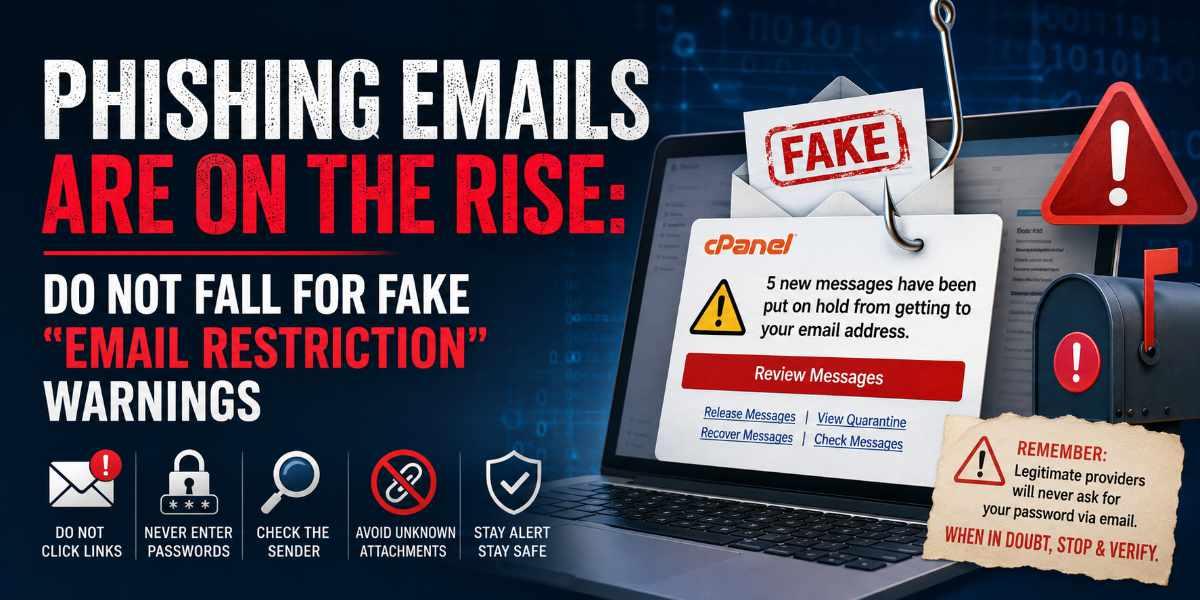
Many of these emails are cleverly designed to look like legitimate notifications from cPanel, web hosting providers, email systems or website contact forms.
Unfortunately, they are not legitimate.
A Recent Example
A common scam email currently circulating includes messages such as:
"5 new messages have been put on hold from getting to your email address. Click below to review the messages."
The email often contains buttons or links labelled:
- Review Messages
- Release Messages
- View Quarantine
- Recover Messages
- Check Messages
The goal is simple.
The scammer wants you to click the link and enter your email password.
Once they have your credentials, they can potentially:
- Access your mailbox
- Send spam from your account
- Impersonate your business
- Attempt financial fraud
- Use your email account to target your clients and contacts
"But It Came From My Own Email Address"
One of the techniques scammers use is called email spoofing.
Spoofing allows a scammer to make an email appear as though it has been sent from:
- Your own domain
- Your own email address
- Your web hosting provider
- Microsoft 365
- Google Workspace
- cPanel
This does not necessarily mean your account has been hacked.
It simply means the sender address has been forged to make the message appear trustworthy.
Think of it as someone writing a fake return address on an envelope.
Check The Actual Sender Address
Do not rely solely on the name shown in your email program.
Many phishing emails are designed to appear as if they come from:
- Your own business
- Microsoft
- cPanel
- Your hosting provider
- A trusted supplier
Before taking any action, hover your mouse over the sender address or click on it to view the full email address.
Make sure the actual email address matches what is being displayed.
For example:
Displayed Name:
Microsoft Support
Actual Email Address:
Or:
Displayed Email Address:
Actual Email Address:
These subtle differences are often a clear indication of a phishing attempt.
If the sender address looks unusual, contains unexpected words, numbers or domains, proceed with caution.
Pay Attention To "No Reply" Addresses
Another common issue occurs when users attempt to reply to automated emails.
Addresses such as:
This email address is being protected from spambots. You need JavaScript enabled to view it. This email address is being protected from spambots. You need JavaScript enabled to view it.
are specifically designed not to receive replies.
If you send a response to a no-reply address, the original sender will usually never see your message.
Whenever you receive a notification from a website contact form or automated system, always check:
- Who the email is from
- Whether it is a no-reply address
- Whether a separate reply-to address exists
- Who should actually receive your response
How To Identify A Phishing Email
Look for these warning signs:
- Urgent language
Examples include "Account Suspension", "Pending Action Required", "Messages On Hold" or "Immediate Attention Required". - Requests for passwords
Legitimate providers should never ask for your password via email. - Unexpected links
Always check where a link goes before clicking. - Poor formatting or unusual wording
Many phishing emails contain grammatical mistakes or awkward phrasing. - Fear-based messaging
Scammers want you to panic and act before thinking.
What To Do If You Receive One
- Do not click any links.
- Do not enter your username or password.
- Do not open unexpected attachments.
- Delete the email.
- Contact your IT provider, website manager or web hosting provider if you are unsure.
When checking any account, always access it directly through the official website rather than using links contained within a suspicious email.
Staying Safe
Phishing attacks continue to become more sophisticated each year.
The good news is that a little caution goes a long way.
If an email creates a sense of urgency, asks for passwords or claims there is a problem with your email account, take a moment to verify it before taking any action.
A few extra seconds of checking can prevent a major security incident for your business.
When in doubt, stop and verify. If an email claims there is a problem with your account, do not click any links provided in the message. Contact your IT provider, website manager or web hosting provider directly using contact details you already know are genuine.
The ICT Shak regularly assists businesses with website management, email hosting and website security. Understanding the warning signs is one of the simplest ways to protect your business online.